
Responsive Web Design frameworks that we like and use
April 3, 2013 0 commentsResponsive web design becomes unavoidable, due to the rapid growth of tablets, smartphones and smart televisions with different screens; it’s no wonder responsive designing has gained the attention of website owners. One website that could display well on every screen is an inevitable option since it eliminates the tiresome job of creating web pages for each device independently. Responsive designing also facilitates user experience by way of ruling out links that should be selected based on the user device and its display conditions. So using Responsive web design makes your web page looks good, easy to use, whatever the device may be.
Having said that, we never fall behind the curve and our developers utilize a range of Responsive Web Designing (RWD in short) Frameworks to create user-centric websites. The following are the 4 RWD frameworks that we utilize skillfully. You might take a little while to get around these tools, but believe us it’s just awesome! Here is our responsive web design framework review.
Zurb’s Foundation 3 and now 4 (in 2013)
Foundation 3/4 is all the rage for it is an open source front end framework with extensive documentation and killer features. It’s 12 column flexible grids, rapid prototyping, and multi-device mobility allows responsiveness to a great extent. Less though

in a number of tools, the framework certainly allows creativity than any other. The best part is it has
not changed much in terms of syntax thus reduced learning or upgrade hassles for existing coders. It’s clean codes have leveled off several implementation setbacks too.
The one disadvantage though with Foundation 3 is the lack of support for IE7 and Foundation 4 doesn’t support IE8 which is still a large number of screens used.
Based on LESS.js this pre-processed CSS is another popular front-end tool utilized widely in designing adaptable websites.
You can now design fluid layouts using
LESS.js which is later compiled with CSS. Modifying gutter/ column widths, choosing the number of columns, and flipping between percentage and pixels are some key features offered by this system. The ultimatum is you can’t use CSS more efficiently than in semantic.gs.
Nothing can beat Bootstrap in the numbers game as it offers a large
set of tools and options to developers. And you need not download all the elements when you download Bootstrap. If you think something won’t work for you, you can easily ignore. No cluster codes and the look and feel of the UI forms and buttons could be made perfect with minimal changes. In short, bootstrap is an intuitive framework that eases the process of web design and development.
In our experience, Bootstrap has better browser support and this could be our first choice.
This is one other lightweight jQuery plug-in used to build cross-browser compatible responsive websites. The strategy is simple. Here we focus and build websites for mobile devices first which could render optimized performance and user experience. Later this is used as a base and tweaked further for desktops and other devices. The dynamic action hooks and HTML 5 dataset ensures responsiveness and ease in designing.
Each of the above-listed frameworks is unique and efficient in their own way. Not to mention, there are some flaws and implementation difficulties as well. Choosing the appropriate one is tricky and it solely depends on your specific requirements. Responsive designing is seeing a steady growth and so does the tools of this space. So, get set and go the responsive way!
Other reads:
Responsive web design to make your site mobile ready – Is it worth doing? (https://www.macronimous.com/blog/responsive-web-design-to-make-your-site-mobile-ready-is-it-worth-doing/)
Why You Need to Prioritize Responsive Design Right Now (http://www.forbes.com/sites/work-in-progress/2013/03/26/why-you-need-to-prioritize-responsive-design-right-now/?goback=%2Egde_4025191_member_226513082)
Related Posts
-
 November 22, 2013
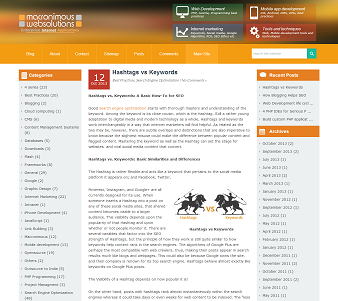
Flat design + Less framework + WordPress = Our new responsive Blog design
After few years we had decided to give a new look and feel. As you are aware 2013 was a year of Responsive Web Design and we are no exception to this. So, RWD was in priority for the blog design. Why not applying new trends in our own blog ?
Frameworks, General, Responsive Web Design0 comments -
 June 18, 2010
Tips for building better mySQL architecture
Have you thought about the right Data type which you should use? Is VARCHAR bad? Do you review the SQL statements that you have written? Do you know what sort of impact indexes produce? How to leverage the query caching techniques? Do you follow the naming standards? This simple slide
