
Client SEO Reports – Key Factors and Steps to Consider
June 25, 2019 0 comments
While running a business, irrespective of its size, there is one aspect which is detrimental. That is Client Reports. Here we are trying to help understand the Key Factors and Steps to consider while creating Client Reports.
1) Install Analytics – Google Analytics
It all begins with our ability to pull information about what is happening with the website. The right thing to do in this direction is to install an Analytics tool. Here we suggest Google Analytics (GA).
Installing GA is the toddler step for creating an effective report. As complicated as it may sound, this is a piece of cake, as long as you know where to go and to do what.
Visit GA Webpage:
As step 1, head on to http://www.google.com/analytics/. For those of you who do not know what GA (Google Analytics) is, this page will help.

Note: One email id with Gmail is good enough to access all the services that Google offers.
Add a Property:
As step 2, go ahead and add a property. Don’t get confused. In the GA context, Property is basically a website.
You will be asked many questions while setting this up. Please read this before you embark.
For those who already have a GA account, add this client’s website too.
Tip: In case you are a Web Agency or a Small Business involved in Digital Marketing, you can add other properties (website) in your GA account, thereby checking all your client websites at one place. Trust me when I say this. You will save lots of time if you can keep this as a principle.
2) Set up Goals
Campaigns do not make sense without setting up a goal. Rather Campaigns make sense with a Goal(s) associated with it. Within Google Analytics, there is an option to set-up Goals.
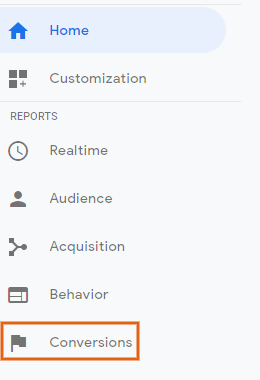
To do this, go to your freshly setup Analytics Dashboard. Click on Conversions as shown below.
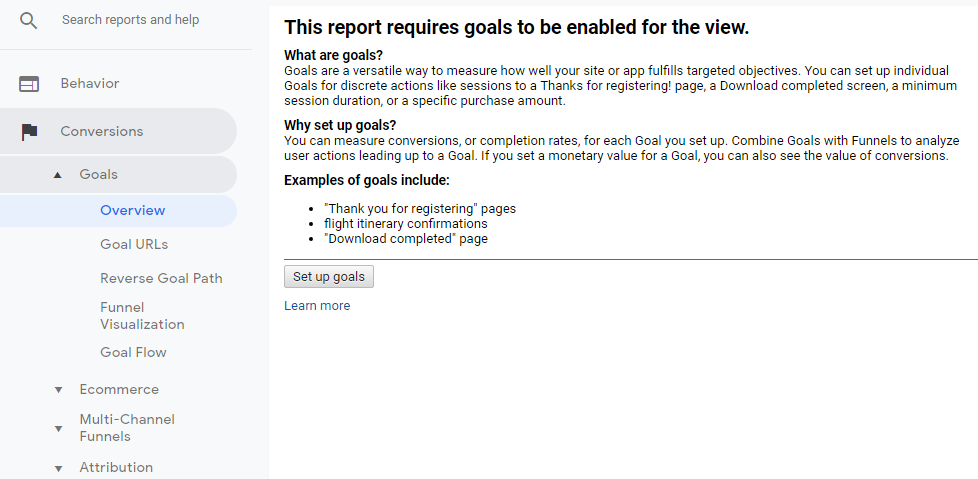
Once you start, you will be asked quite a few details. Fill them up accordingly.
3) Fix the KPIs:
This becomes the extremely critical step, when it comes to determining the quality of your campaign. When done well, it doesn’t restrict as a Campaign quality determining factor of the campaign. Instead, it also empowers the business owner to take informed decisions.
Depending upon the work that you do for the client – SEO, PPC, Social Media Marketing, Email Marketing etc, the KPIs vary. The internet is replete with KPIs and so are the chances to get confused, especially when you begin to do this. Clicks, Rank, Price, CTR, etc are a few obvious and important KPIs.
As a simple rule, the KPIs need to substantiate the goals and further help in pulling out additional useful data for either the campaign or to the business owner.
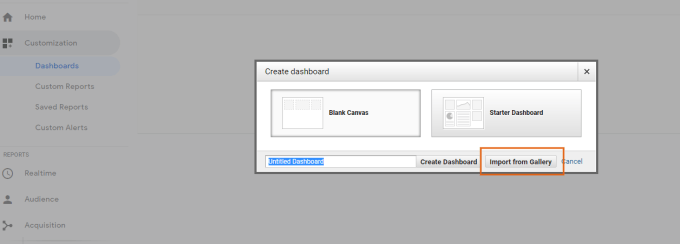
In case you have no idea, just head over to the Customization menu in GA.
Then check out the Dashboard option and choose either the “import from gallery” or the “Starter Dashboard” option.
You will find a handful options that can be used.
4) Report Templatization:
As much as it is important to create meaningful reports and create the right impression with your clients, you cannot afford to lose time over this. The key to this is Templatization, where you create beautiful report templates and update the data every month. Thankfully, GA has got options to do it.
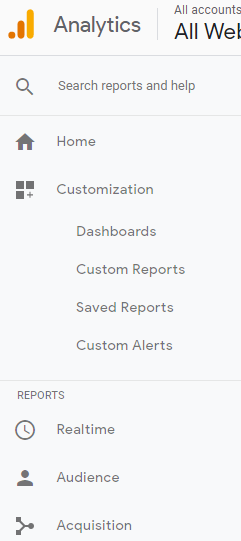
Head over to the main menu in GA and click on Customization.
Since each client and project is different, Custom Reports is what will be useful. However, if you have a stereotypical SEO or PPC Clients, there are standard reports which you will get by a simple Google search or as mentioned earlier, use the ones under Dashboards.
Related Posts
-
 August 21, 2020
Structured data, Rich results, schema types and FAQ pages – What Google cares and Doesn’t.
Structured Data Let us bust the myth that Structured data is a ranking factor per se. Google doesn’t see it so. However, it helps the Google algorithm to easily understand what the page is about. This should result in showing your webpage by Google in relevant places and thereby enhance the
Welcome0 comments -
 September 26, 2008
How important is effective web content for SEO?
You have a well-designed website with perfect usage of flash banners and graphic designs, with proper site navigation and easy accessibility. Still, do you feel that you are not getting the desired visitors and sales to your site? I suggest you probably need to work on the content in the
