
4 MySQL clients for PHP developers in Windows
April 19, 2016 0 comments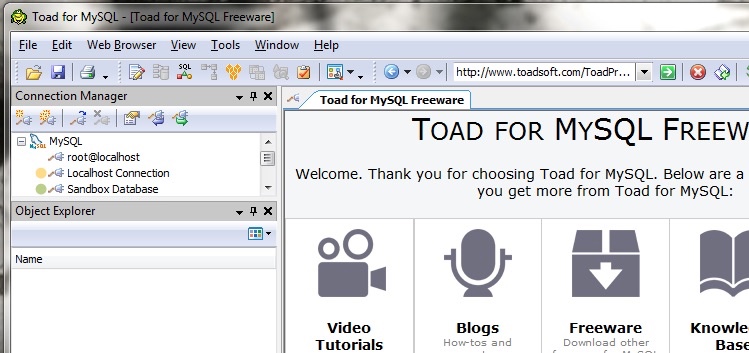
Using client apps for MySQL provides more than just a well-presented representation of your database. It elevates the level of accuracy and time saved by database administrators. And every dollar saved is a dollar earned in profit for your business.
Hence, it makes total sense to go for MySQL client apps when you undertake a PHP web application development project. However, the million dollar question is – “Which client app should you go with?” The market is flooded with many apps which make selection difficult. Today we try to ease out this issue by compiling our list of MySQL client apps, which we feel give the modern day PHP developer an edge over the others.
Read on and choose wisely!
HeidiSQL is an open-source designing tool that works seamlessly with MySQL server, PostgreSQL and Microsoft SQL. It allows the developer to browse and edit data. But, that is not all. PHP developers can also use this tool to create and edit tables, scheduled events, Triggers, and procedures. Developers can connect to multiple servers using a command line on a single window.
Developers have the freedom to generate SQL exports, compress these exports or place them on a clipboard. It is possible to export one server or database directly to a different server or database using HeidiSQL. It enables export of table rows, including HTML, CSV, SQL, XML and PHP Array. Developers also can use it to optimize and repair tables in a batch.
Navicat for MySQL is a graphical database development and management tool. Developers using this application claim it the ideal solution for MySQL and MariaDB, as it allows them to connect to both databases simultaneously, regardless of the databases being remote or local.
Navicat for MySQL boasts of an intuitive graphical interface that allows seamless development, maintenance and continuous management of databases. It comes with a host of features that makes it a client app of choice. It comes with an SQL builder and editor, data modelling tool, import and export, data transfer, report generation, view, events, data and structure synchronization, functions and procedures.
MySQL Workbench is a unified visual tool that PHP developers can use for SQL development and data modelling. It is replete with administration tools that allow server configuration, backup and user administration. Using the Database Connections Panel, developers can manage standard database connection, and also get access to database objects and schema.
What makes MySQL Workbench so massively popular is the ability to administer MySQL environment easily while enjoying enhanced visibility into databases. Also, the client app allows reverse-engineering and lets developers handle difficult change management and documentation tasks which otherwise are time-consuming. It even offers an easy-to-use solution to migrate Sybase ASE, Microsoft Access, Microsoft SQL Server, and other data, tables and objects to MySQL on Windows platform.
TOAD is a user-friendly interface from Oracle for relational databases. PHP developers can use TOAD while writing querying tables as well as developing tables. Developers with basic database command knowledge can also use this interface.
Using TOAD, developers can build and test PL/SQL packages, functions, Triggers, and procedures. It allows seamless creation and editing of tables, views, constraints and indices. Developers also can use TOAD’s SQL Editor to write and test scripts and queries, and its data grids to view and edit Oracle data. This tool lets developers view Oracle Dictionary, manage common database tasks from a single window and create customized code templates.
Related Posts
-
 April 3, 2013
Responsive Web Design frameworks that we like and use
Responsive web design becomes unavoidable, due to the rapid growth of tablets, smartphones and smart televisions with different screens; it’s no wonder responsive designing has gained the attention of website owners. One website that could display well on every screen is an inevitable option since it eliminates the tiresome job
4 series, Best Practices, Frameworks, Mobile development, Opensource0 comments -
 May 22, 2025
FrankenPHP for Modern PHP Development – Now with the support of The PHP Foundation
FrankenPHP Officially Supported by The PHP Foundation: What It Means for Modern PHP Development At Macronimous, we've been crafting robust web applications with PHP for over two decades. Our PHP teams are constantly exploring new horizons, embracing advancements like sophisticated frameworks such as Laravel and dynamic front-ends powered by modern
