
GitHub for FTP Users in the age of Agentic coding:
August 5, 2026 0 comments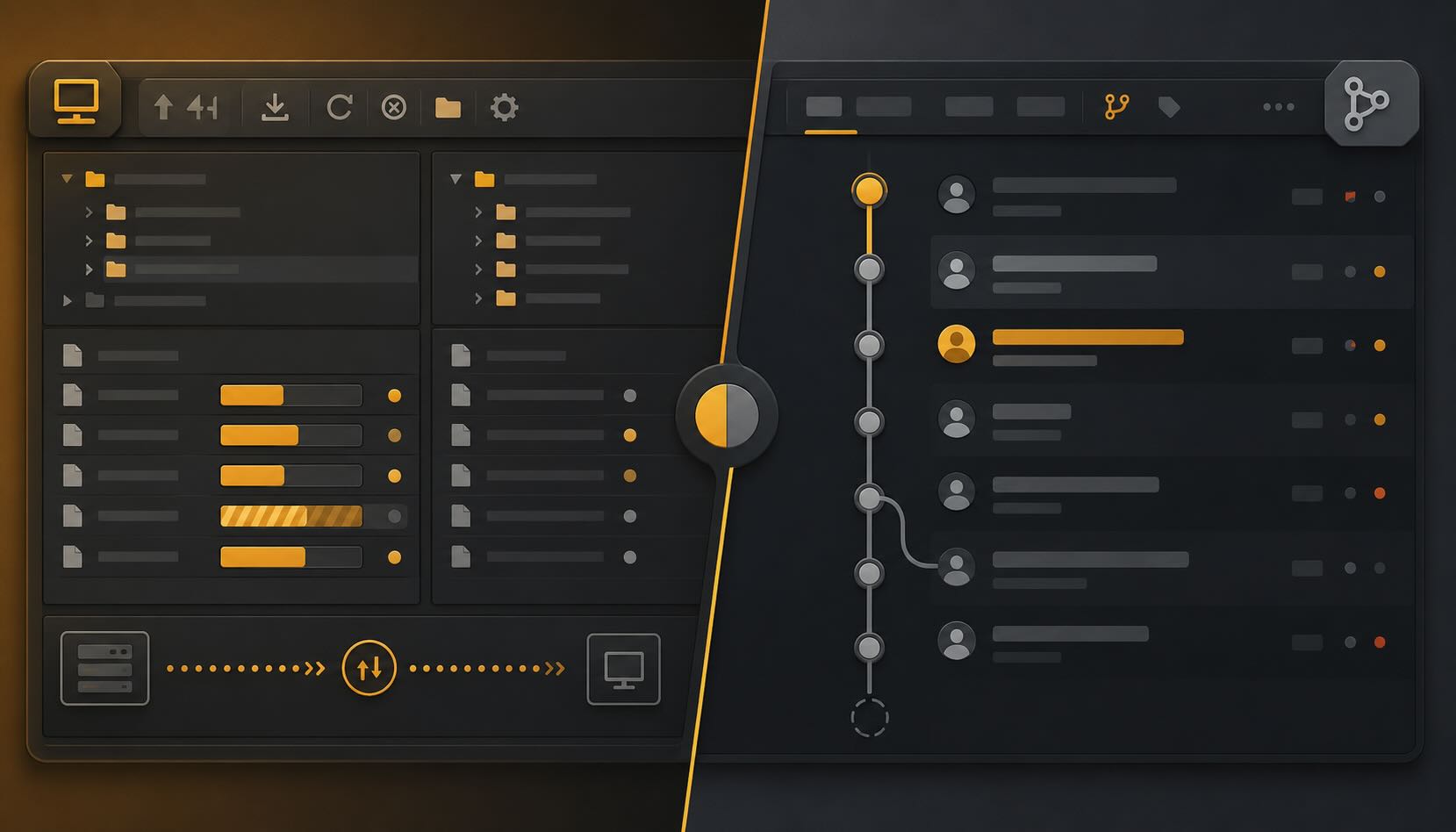
Version control is a system that records every change to your project so you can see what changed, when, and by whom, and roll back to any earlier state. If you have spent years dragging files into FileZilla, you already understand most of it: a repository is your project folder, a commit is a save with a note attached, and a push is an upload that never destroys the older version.
On this page
You already move files. You just never kept the receipts.
I have been uploading files to servers since SmartFTP and WS_FTP were the normal way to do it. FileZilla and Cyberduck are still open on my Mac most weeks. There is a specific muscle memory to FTP: edit the file, drag it into the client, watch the progress bar fill, done. It works. It has worked for over twenty years.
Here is the catch. FTP has exactly one job: take the file on your machine and put it on the server, on top of whatever was there before. The server holds one version of the truth, the current one. The moment you upload a broken file over a working one, the working one is gone. No note about what you changed. No way back. If a colleague edited the same file an hour ago, your upload quietly erases their work.
FTP has no memory, and it was never trying to have one. Version control is the memory FTP never had.
Git and GitHub are not the same thing
Before the vocabulary, clear up the one confusion that trips up everyone who picked this up by osmosis. Git and GitHub are two different things.
Git is the version control system. It runs on your own machine and keeps the full history of your project in a hidden folder. It does not need the internet to work. Git itself is free, open source, and describes itself as a distributed version control system, which is a precise way of saying every copy carries the entire history.
GitHub is a website that hosts Git repositories and adds a layer of collaboration on top: a place to keep the shared copy, review changes, and discuss them. GitLab and Bitbucket do the same job. Almost every term below is a Git concept. Only one of them, the pull request, actually belongs to GitHub. People say “GitHub” the way they say “Google it” when they mean search. That is fine in conversation. But once you can see the line, the rest stops being mysterious.
The FTP-to-Git Rosetta Stone
Here is every term you have heard, mapped to something you already do in FileZilla. Read the middle column first, then the right one.
| Term | What it means in FTP | What it means in Git / GitHub |
|---|---|---|
| Repository (repo) | The root folder on your server where all the site files live. | Your project folder, except it also stores the full history of every file, not just the latest version. |
| Clone | Downloading all the files from the server so you can work on them locally. | Downloading a complete copy of the project, including its entire history, not just the current files. |
| Commit | You save the file on your computer. Mess it up and the old version is overwritten and gone. | You save with a short note explaining what changed (“Fixed broken image link”). The old version stays safe, and you can return to it anytime. |
| Push | Dragging your updated files into FileZilla to upload, overwriting what was on the server. | Sending your commits up to the shared copy. It adds them to the history instead of overwriting it. |
| Pull | Downloading a file because a colleague just updated it and you need their version. | Fetching everyone’s latest changes and updating your local copy to match. |
| Branch | Making a /public_html_test/ folder to try a new homepage without breaking the live site. |
An isolated parallel version of the project. You work on it freely, and the main code is untouched until you choose to bring it in. |
| Merge | Manually copying files from /public_html_test/ over /public_html/ once they work. |
Combining the work from a branch back into the main project, line by line, mostly automatically. |
| Pull request (PR) | Emailing your boss: “I finished the test folder, can you review before I overwrite the live site?” | A documented request for someone to review your branch before it gets merged. A GitHub feature, not core Git. |
The three things FTP simply cannot do
The table makes these look like translations. Three of them are not translations at all. They are things FTP has no answer for, and they are the whole reason version control exists.
You can always go back. Every commit is a labeled save point. Break the site at 4pm and you can return to how it was at 2pm, with a record of what happened in between. This is the one that changes how it feels to work.
FTP remembers one version of your site: the one on the server right now. Git remembers all of them.
You can experiment without a test folder. A branch is the /public_html_test/ trick done properly. You spin off a parallel version, try the risky redesign, and the live code is never touched. If it works, you bring it in. If it does not, you throw the branch away and nothing was ever at risk. No more folders named test, test2, test-final, and test-final-REAL.
Someone can review before it goes live. A pull request is that email to your boss, except it is structured, it shows the exact lines you changed, and the review stays next to the code forever. For anyone who inherits other people’s codebases for a living, this is the difference between “trust me, it works” and “here is exactly what I changed and why.”
Where the FTP comparison breaks
No analogy survives contact with the details. Three points are worth knowing before you start, so they do not surprise you later.
Merge is not always automatic. When two people change the same lines of the same file, Git stops and asks you to resolve the conflict by hand. That feels like a failure the first time. It is the opposite. FTP would have silently let the second upload erase the first. Git refuses to guess when it cannot be sure, which is exactly the behavior you want from a tool that is holding your history.
Push does not overwrite, until you force it. Normal pushes only add to the history. There is a “force push” that rewrites it, and it can undo other people’s work if you are careless. Treat it the way you treat rm -rf: know it exists, do not reach for it.
The history lives on your machine first. This is the part FTP people find strangest. Your commits are saved locally, in full, before anything touches a server. You can work on a plane, commit ten times, and push all of it when you land. The server copy is a convenience for sharing, not the source of truth. That inversion is the entire point of a distributed system.
Why WordPress developers got away without it
I will be honest about the reason so many capable developers skipped version control for years: for a lot of work, FTP was genuinely enough. One person, one WordPress site, a plugin update here, a CSS tweak there. Git felt like ceremony around a job that took ten seconds. That is a fair reason, not laziness, and I am not going to pretend otherwise.
But the reason stops holding the moment the work gets real. The day a second developer touches the same files. The day a client asks what changed on the 14th and whether you can undo just that one thing. The day you inherit a codebase someone else built and need to understand its history before you touch it, which is exactly where version control sits inside a real web development process. FTP has no answer to any of those. Version control answers all three without you thinking about it.
There is a newer reason too. Every serious AI coding tool now assumes Git. Claude Code, GitHub Copilot, and Cursor all lean on version control to show you what they changed and to let you throw it away. A controlled AI coding loop is impossible without it, because the whole safety net is being able to reject what the tool wrote. If you care about clean code from AI tools, version control is the floor you build it on.
So here is the opinion, plainly. If you build websites for a living and version control was never part of how you work, that is a gap, not a preference. WordPress made it easy to avoid. It did not make it wise to avoid. For a seasoned developer, keeping the full history of your work should be as automatic as keeping backups.
Starting without the terminal fear
The fear is almost always the terminal, and you can skip it entirely. GitHub Desktop and the built-in Git panel in editors like VS Code give you commit, push, and pull as buttons, with the change history laid out visually. It looks a lot more like FileZilla than like a command line.
Pick one project, ideally a small one, and start there:
- Install GitHub Desktop, or open the Source Control panel in VS Code.
- Put one existing project under version control (the tool calls this “create a repository”).
- Commit whenever you would normally save, and write a one-line note each time.
- Push when you would normally upload to the server.
- Create a private repository on GitHub as your off-site backup.
Do that for two weeks on one project and the vocabulary stops being vocabulary. It becomes muscle memory, the same way dragging a file into FileZilla once did. When you want the full picture, the free Pro Git book is the reference worth keeping open.
You are not learning a new discipline. You are finally getting the receipts for the one you already practice.
Working with a dev team that keeps the receipts
We build and maintain sites under proper version control, so every change is documented, reviewable, and reversible. If you are handing a project to an outside team, that history is what protects you.
Related Posts
-
 January 20, 2025
The need for Programmatic SEO: Your Secret Weapon for Scalable Content
Tired of the Content Creation Grind? It's time to grasp some idea about The need for Programmatic SEO! Imagine this: You're responsible for an e-commerce website with thousands of products, each requiring its own unique page. Or perhaps you manage a real estate platform with listings scattered across numerous cities.
Welcome0 comments -
 April 8, 2024
WordPress Troubleshooting: How to Find and Fix the Bug, in the Right Order
To troubleshoot a WordPress problem, work in this order: write down the exact symptom, find out what changed recently, turn on the debug log, reproduce the problem, and read the log. The file path in the error almost always names the plugin or theme at fault. If the log doesn't,
